Chaos Tamer — Tame Your Chaos, Grow Your Garden 🌱
Today, I want to show you my second app created using the vibe-coding method. If you read my previous article about Birthday Buddy, you already know the drill—zero coding, no developer, just me and a conversation with AI. This time, the stakes were higher. This time, I had to tame the chaos.
From Idea to App
If you’re running a startup or you’re in the prime of your life and everything is happening at once—it’s worth writing down what needs to be done, because "senior moments" come for us all! 😄
That’s why I decided my best second app would be exactly that: a Chaos Tamer. I love ticking off tasks, but whenever I wrote them down in Word or Google Docs, something was missing. And now I know what it was: confetti! 🎉
And so, ChaosTamer was born.
What is Vibe-Coding? (Quick Refresher)
Vibe-coding is building applications by simply talking to AI. You don’t write code—you describe what you want, and the AI builds it. If you missed the full explanation, check out my first article. The short version: if you can write a message, you can build an app.
Tool: Replit Agent (the same one as last time).
Cost: Replit Core ($25/month).
Perks: Free
.replit.appdomain included.Timeline: One afternoon from zero to a published app ☕.
The difference this time? I already knew the process. Second app = faster, smoother, more ambitious. Confidence is also a feature. 💪
Before You Start — FAQ for Non-Coders 🙋♀️
"Is building the second app easier than the first?" Yes! You already know how to talk to the Agent, what to expect, and how to plan. My first app took one afternoon. This one? The same—but with way more features.
"Can I build a task manager? There are a million of them!" There are. But none of them are yours. None of them throw confetti when you finish a task. None of them grow a garden. That’s the beauty of vibe-coding—you build exactly what fits your brain.
"And the reminders—do they actually work?" Yes! Email and push notifications. The Agent set up the whole system; I just described what I wanted.
"Do I need to know what Markdown is?" No. But if you do, ChaosTamer supports it in task descriptions. If you don't—just type normally. It works either way.
My Process (Step by Step)
1. Paper First, Keyboard Second ✏️
I took a notebook and planned screen by screen—what should be on them, acting like an "architect": what follows what and how it logically weaves together. And, of course, where to squeeze in Pablito 🐶😄.
2. Plan, Don't Just Build! 📋
The same advice as before—choose Plan mode in Replit. Let the Agent think before it starts building. I described the whole concept: task management with two states (Chaos and Tamed), reminders, confetti animations, garden gamification, access codes, Google login, dark mode, and bilingual support. The Agent came back with a solid plan. I tweaked a few things and said, "Let’s go."
3. Describe What You Want 💬
My initial prompt looked something like this:
"Build a task management app called ChaosTamer. Two task states: Chaos (active) and Tamed (completed). When a task is marked as done, confetti appears. Every 10 completed tasks, a new plant grows in your garden. Include smart reminders with customizable frequency. Homepage with a forest illustration and the slogan 'Tame it. Track it. Done.' Access code protection, Google login, email notifications, dark mode, PL/EN toggle. Clean, nature-inspired design."
4. Talk and Iterate 🔄
Just like before, the first version needed tweaks:
"Make the confetti bigger and more colorful."
"Add a 'Don't Remind Me' checkbox for tasks that don't need alerts."
"The priority dropdown should have: None, Low, Medium, High."
"Make the search bar more visible."
Every message = instant improvement. It’s like working with a developer who has infinite patience and zero ego.
5. Publish with One Click 🚀
I clicked Publish—the app is live at chaos-tamer.replit.app. Done.
The Result
Here is what I built—let’s walk through it screen by screen. This will help you see what’s inside and give you ideas for your own apps.
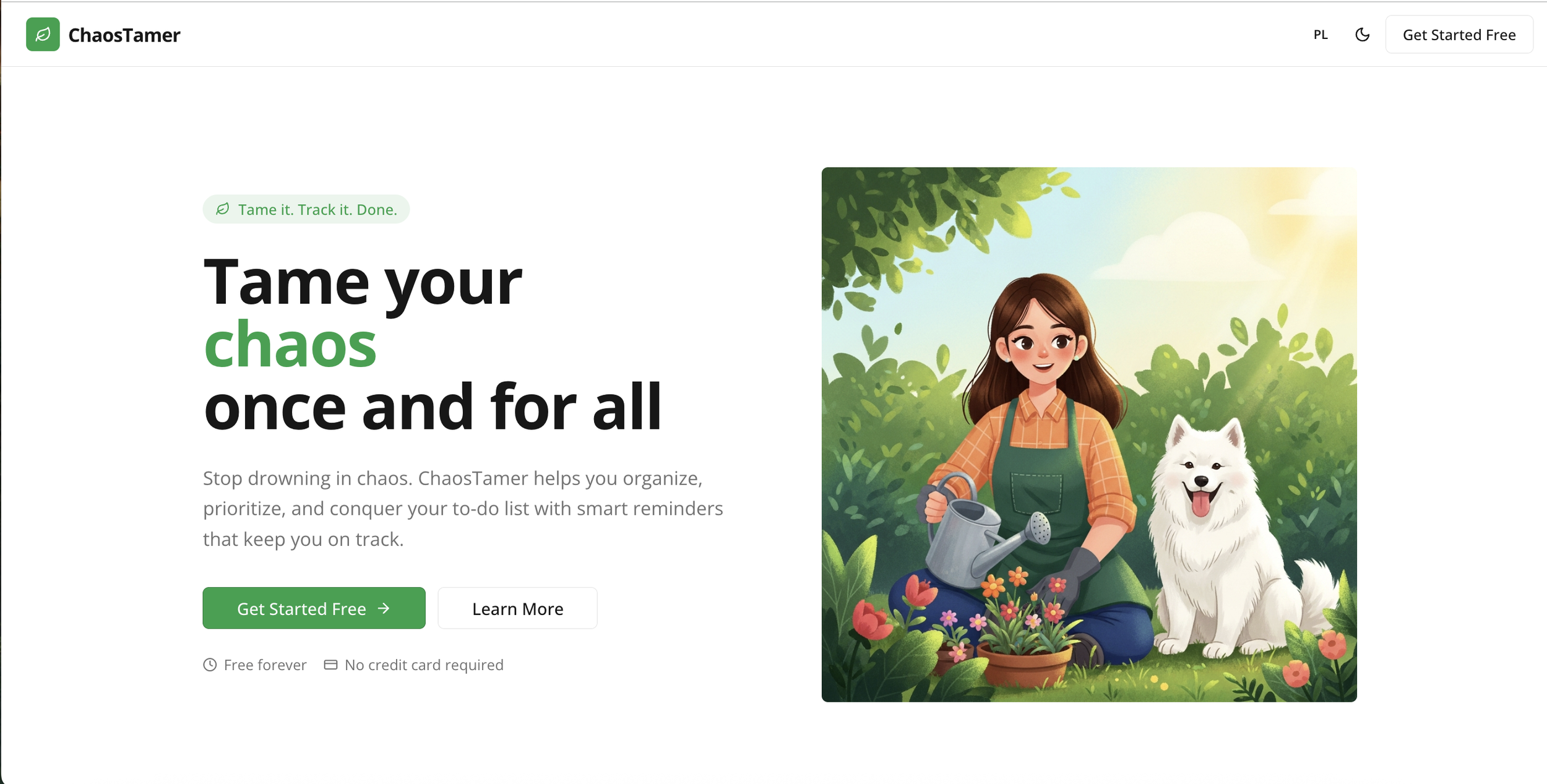
Screen 1: Home Page 🌲
Big slogan: "Tame it. Track it. Done."
Forest illustration—calm, green, natural vibes. No corporate blue. No hustle culture.
Three highlighted features: Smart Reminders, Chaos/Tamed View, and Task Discussions.
"Always free / No credit card required"—because taming chaos shouldn't cost a fortune.
Screen 2: Access Code Protection 🔐 Just like Birthday Buddy, ChaosTamer is protected. Running an app costs real money (servers, emails, database), so I keep it private. Want to test it? Subscribe to the newsletter or message me for a code! 💌
Screen 3: Dashboard — The Heart of the App 🎯 Two columns:
🔥 Chaos (Left): Your active tasks. Things swirling in your head.
✅ Tamed (Right): Your completed tasks. Every one of them was once chaos. Look at them and feel proud.
"My Garden" Section 🌿: Displays your current plant and a counter. You don't have to click anywhere to see your progress—it’s always in view!
Screen 4: Completing a Task — THE BEST PART 🎉 Click "Done!" on any task and:
CONFETTI EXPLODES across the whole screen.
The task moves from Chaos to Tamed.
You get a small hit of dopamine.
You smile (I guarantee it).
The Secret Ingredient: Every 10 tasks, a new plant grows. From a "Tiny Sprout" at 10 tasks to "Full Bloom" at 70. It’s a visual reminder of everything you’ve achieved. Not a productivity metric. A garden. Because you’re a human, not a machine.
How to Talk to the Agent — Cheat Sheet 🗣️
Describe the feeling: "I want the app to have a calm, nature-inspired vibe, not corporate or stressful."
Gamification: "When the user completes 10 tasks, show a new plant growing in the garden section."
Conditional logic: "If the user checks 'Don't Remind Me,' hide all reminder settings."
Tone of voice: "The button should say 'Done!' instead of 'Complete Task.' Make it fun."
Summary
ChaosTamer isn’t just a task manager. It’s your little garden and a celebration of your hard work. Your mind is a garden. Tasks are seeds. Tame them, track them, and watch your garden grow. 🌱
You don’t need to be a coder. You just need an idea, a piece of paper, and one afternoon.
Now, if you’ll excuse me—I have a task to finish. It says "write an article about Chaos Tamer." And I’m about to get some confetti. 😉🎉
